
Mastering Android Auto: Essential Tips and Hidden Features for 2025
Driving demands complete attention, making hands-free navigation essential in today's world. Modern vehicles, whether powered by internal combustion engines or electricity, now feature revolutionary infotainment systems that can mirror smartphone operating systems directly onto automobile screens. For distraction-free driving experiences, users can leverage Google's Android Auto or Apple's CarPlay. While both systems offer unique advantages, Android Auto continues to evolve with sophisticated features that enhance the driving experience.
Voice Command Mastery with Google Assistant
Many vehicles suffer from unreliable voice recognition systems, but Android Auto's Google Assistant stands apart with remarkable accuracy. Beyond basic weather inquiries or humorous jokes, Google Assistant can manage calendar reminders, initiate calls to contacts, and control media playback. To activate voice commands, users simply need to open the Android Auto application and enable "Hey Google" detection in the General settings section, specifically activating the While Driving option for optimal functionality.
Effective voice commands include:
-
"Navigate to the office"
-
"Set temperature to 65 degrees"
-
"Read my text messages"
-
"Call Samantha"
-
"Skip this podcast episode"
Users can also create personalized shortcuts for frequent actions, eliminating the need to repeatedly say "Hey, Google" for common tasks.
Application Management and Organization
With distracted driving concerns mounting due to complex infotainment systems, Android Auto maintains careful curation of compatible applications. The platform supports essential categories including music streaming services like Spotify, Pandora, and YouTube Music; messaging platforms such as WhatsApp and Telegram; and news/radio applications including iHeartRadio and ABC News.
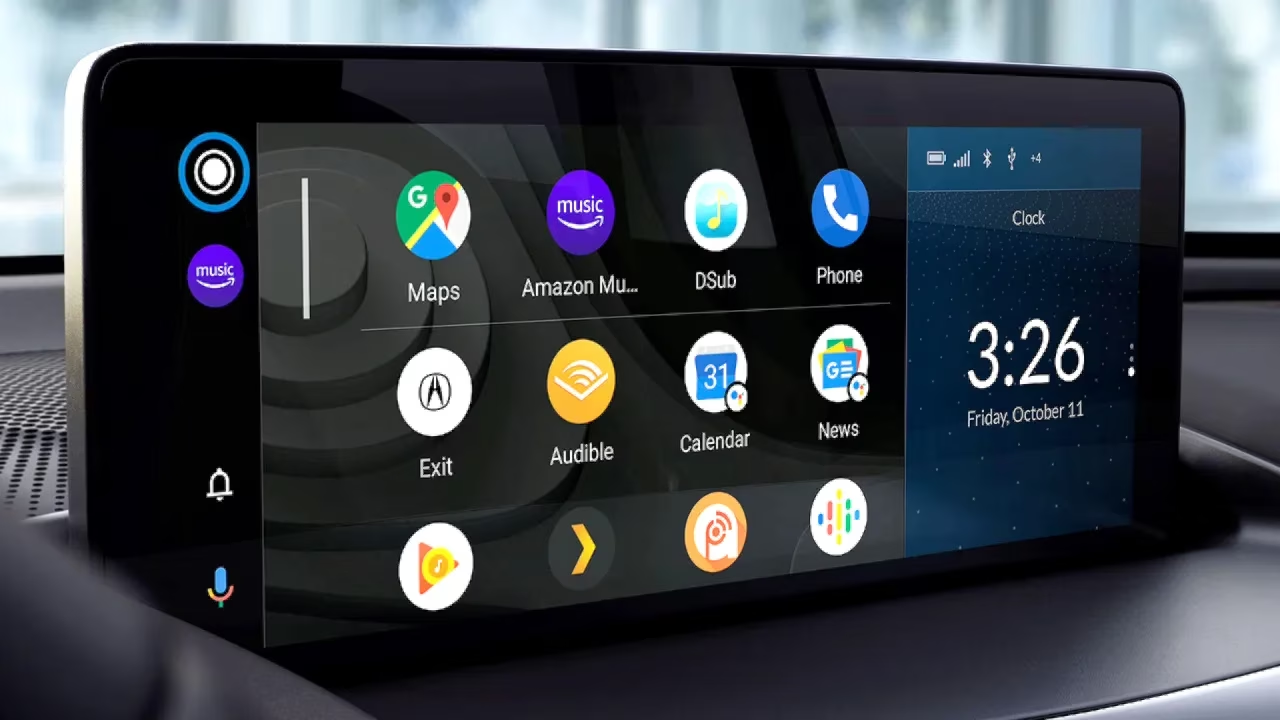
Navigation primarily relies on Google Maps, though Waze remains popular for its crowdsourced real-time traffic data. The key to effective app management lies in organization—too many applications create clutter and distraction. Through the Customize Launcher feature, users can arrange icons according to preference and hide unnecessary applications, though system apps like Phone and Maps cannot be removed.
Music Streaming Optimization
A common frustration involves Google Assistant struggling with music playback commands across different services. The solution lies in setting a default music provider through the Android Auto app's Google Assistant settings. By linking specific accounts and designating preferred services, users ensure seamless music playback without repetitive specification requirements. For alternative service requests, clear phrasing like "play on Pandora" resolves potential conflicts.
Contact Management for Seamless Communication
Efficient contact organization proves crucial for hands-free calling. Ambiguous contact entries with duplicate names or special characters can confuse voice recognition systems. Maintaining a clean, well-organized contact list ensures Google Assistant accurately identifies intended recipients without requiring clarification while driving.
Advanced Customization Features
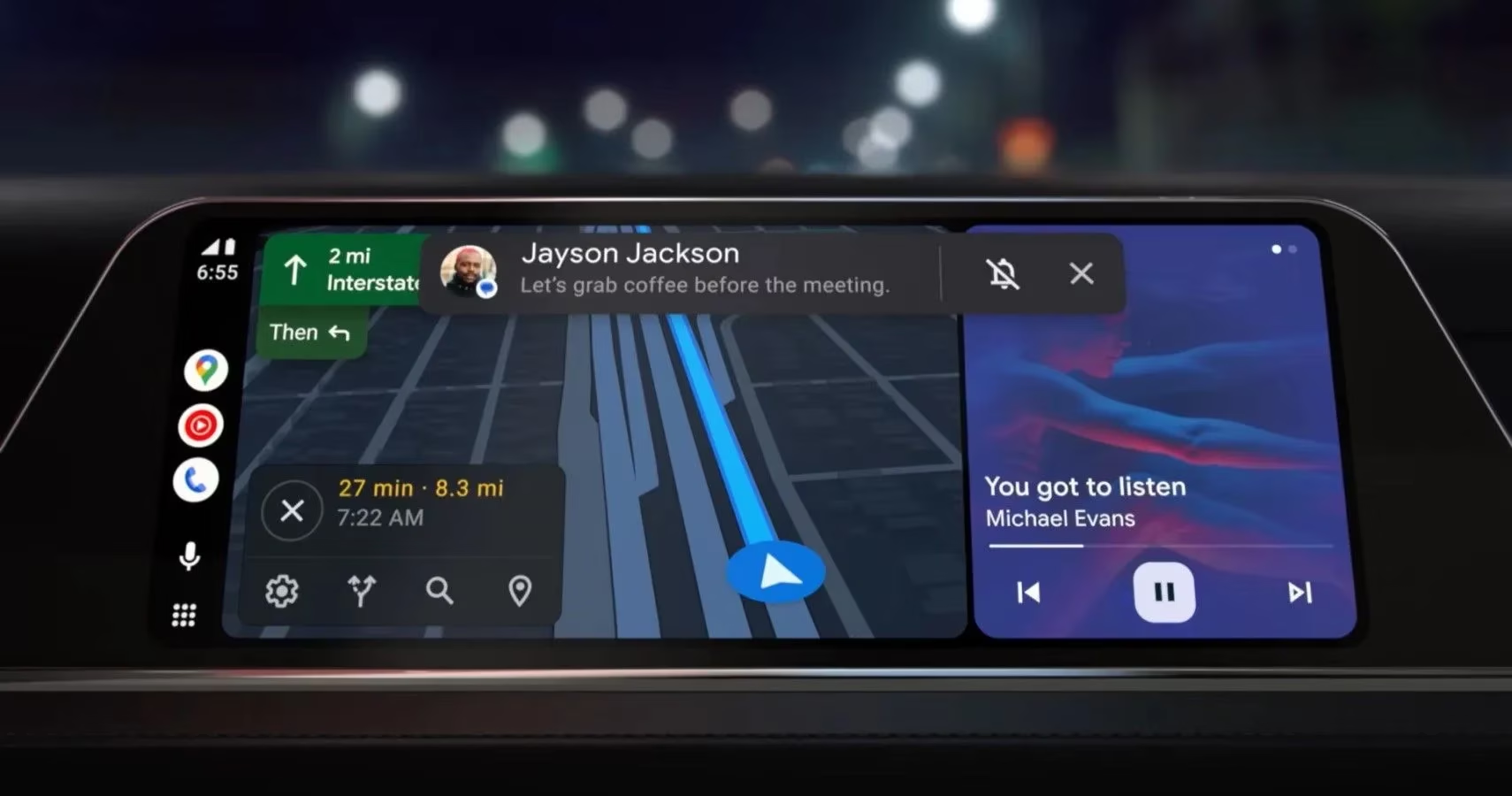
Android Auto's settings menu offers numerous customization options that enhance user experience:
-
Automatic Media Resumption: Restarts music or podcasts from where they left off when the vehicle starts
-
Day/Night Mode for Maps: Forces specific display modes for navigation
-
Start While Locked: Allows Android Auto to launch even when the phone is locked
-
Group Message Management: Controls notification settings for group conversations
Weather Integration and Wallpaper Personalization
Though the weather icon disappeared from the status bar after the 2023 Coolwalk update, the Weather & Radar application provides comprehensive meteorological data. This application displays precipitation patterns in color-coded formats (blue for rain, pink for snow) and temperature readings, helping drivers make informed decisions about travel conditions.
Personalization extends to visual customization through wallpaper selection. The Settings menu's Choose Wallpaper option allows users to select images that reflect their personality, transforming the infotainment screen into a personalized space.
Entertainment During Stationary Moments
For those frequent parking lot waits, Android Auto's GameSnacks feature offers bite-sized games playable directly through the touchscreen. Titles like Northern Lights, Merge Pirates, and Daily Solitaire provide entertainment with impressive graphics and integrated audio through the vehicle's sound system.
Calendar Integration for Smart Navigation
Google Calendar integration extends beyond simple scheduling. By adding location information to calendar events, users can directly launch navigation to appointments with a single tap. This seamless connection between scheduling and navigation exemplifies Android Auto's sophisticated ecosystem approach.
Despite announcements from manufacturers like General Motors about moving away from Android Auto compatibility, the system remains popular due to its extensive customization options and continuous innovation. As Android Auto evolves, users can expect even more sophisticated features that balance entertainment, communication, and navigation needs while maintaining driving safety as the paramount concern.
The platform's commitment to reducing distracted driving while enhancing the automotive experience positions Android Auto as a leading solution for modern drivers seeking technology integration without compromising safety. With proper configuration and understanding of its capabilities, Android Auto transforms daily commutes into connected, efficient, and enjoyable experiences.
Leave a Comment
Comments